DISCONTINUED
The Linux SDK has been discontinued for now since QtWebKit is removed making it much easier to use Qt from your Linux
distribution or the Qt installer/MaintenanceTool. You need the latest release version of MLT, but for some new features
or to be more like a release build of Shotcut you need the git master branch version of MLT. There are some optional
dependencies of MLT simply to build and for basic usage. If you want to run versions that are most consistent with
release or nightly builds of Shotcut, you can use the build script (same as what GitHub Actions build agent runs) at
scripts/build-shotcut.sh.
Legacy
- Download and install the following:
- Qt Creator from the Qt project or your distribution packages.
- Our special build of the Qt 5.9.7 SDK that includes QtWebKit
Extract it to $HOME/Qt - Shotcut SDK (733 MiB! current version 20.09.27)
Extract it to $HOME/Projects
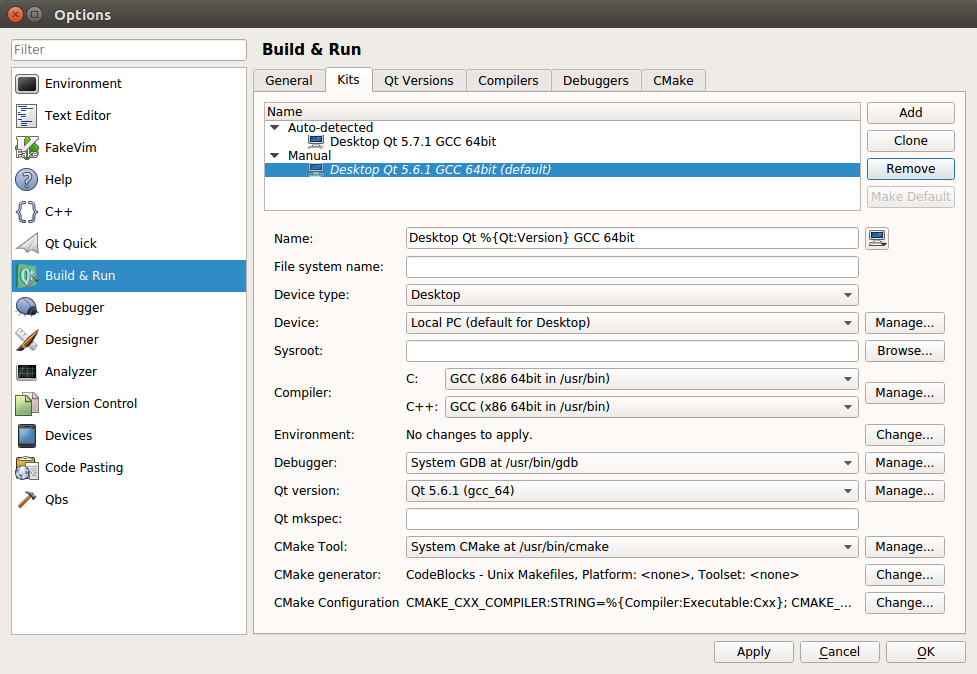
- Start Qt Creator and choose Tools > Options > Build & Run
Configure all of your settings in the Build & Run section.- Manually set the Qt version.
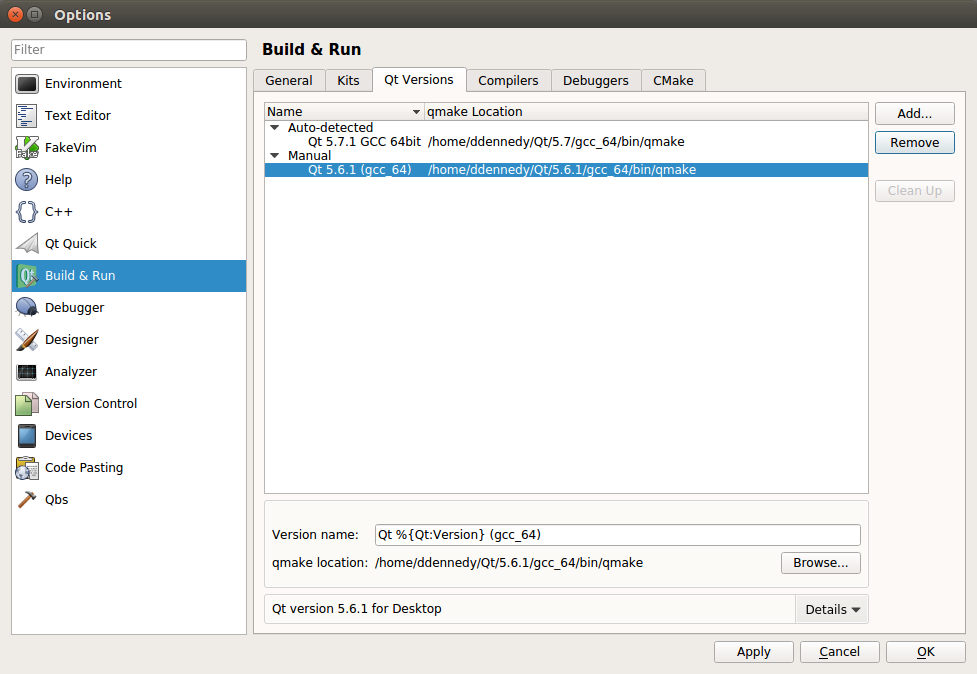
- Configure the project kit from the previously set Qt version.
- Manually set the Qt version.
- Extract the Shotcut SDK .bz2 file to a new folder in $HOME called “Projects”.
- In Qt Creator open shotcut.pro from $HOME/Projects/Shotcut/Shotcut.app/src/shotcut.
- In the Shotcut project configuration screen find Build Settings.
- Under Build steps > qmake > Additional arguments add
MLT_PATH=../../.. PREFIX=../../.. - Under Build Steps > Make > Make arguments add “-j” for faster parallel compilation.
- Under Build steps > qmake > Additional arguments add
- In the Shotcut project configuration screen find Run Settings.
- Under Deployment click Add Deploy Step > Make, and in Make arguments add “install”.
- Under Run > Run configuration click Add > Custom Executable > Executable add
$HOME/Projects/Shotcut/Shotcut.app/bin/shotcut - Under Run Environment > Details add the following environment variables:
- Set
LD_LIBRARY_PATHto${HOME}/Projects/Shotcut/Shotcut.app/lib:${QTDIR}/lib:${HOME}/Projects/Shotcut/Shotcut.app/src/build-shotcut-Desktop_Qt_5_9_7_GCC_64bit-Debug/CuteLogger - Set
MLT_DATAto${HOME}/Projects/Shotcut/Shotcut.app/share/mlt - Set
MLT_PRESETS_PATHto${HOME}/Projects/Shotcut/Shotcut.app/share/mlt/presets - Set
MLT_PROFILES_PATHto${HOME}/Projects/Shotcut/Shotcut.app/share/mlt/profiles - Set
MLT_REPOSITORYto${HOME}/Projects/Shotcut/Shotcut.app/lib/mlt - Set
QML2_IMPORT_PATHto${QTDIR}/qml - Set
QT_PLUGIN_PATHto${QTDIR}/plugins
- Set
-
Go back to Edit mode, right-click “shotcut” in the project tree, and choose Rebuild.
- After clicking Run, you can confirm the newly built executable is the one that is running from the About dialog: the version will be today’s date.
Search
Recent Posts
- Posted on 27 Sep 2026
- Posted on 01 Aug 2026
- Posted on 25 Jun 2026
- Posted on 29 Apr 2026